
How to access your account payment information
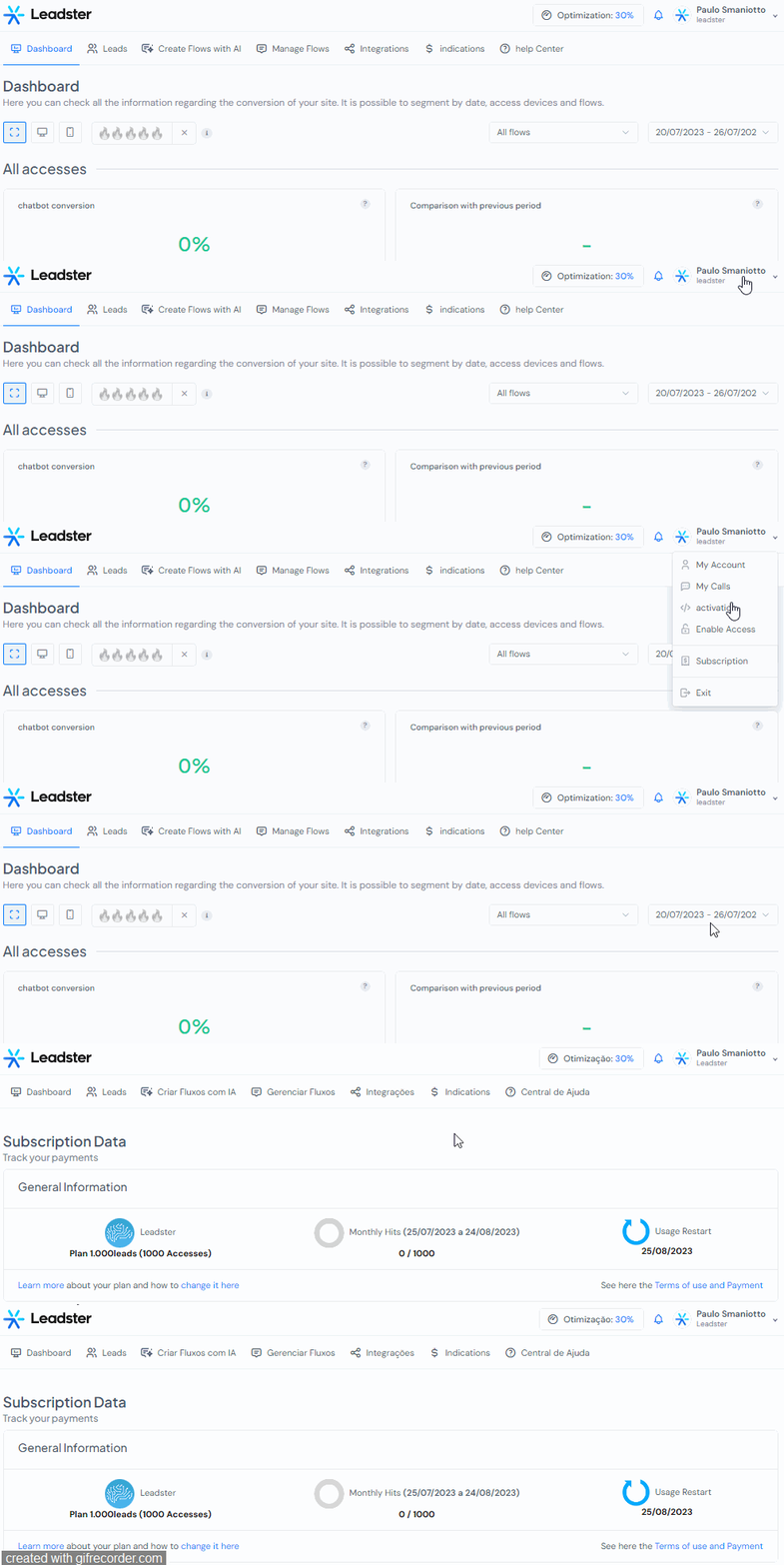
To access your payment information, follow these steps:
1 - Log in to your account.
2 - In the top right corner of the screen, click on the client/company name to access the settings.
3 - Click on "Subscription."
4 - The invoices will be displayed, simply click on "Pay Now" and you will be redirected to the payment platform.
When accessing the payment platform, you can choose the payment method, either via credit card or bank slip.
If you have any questions, contact our support team through the tool.
Thank you!