
How to Configure the GA/Meta Ads Event Sending Block in Your Flow
Improve your lead segmentation by sending custom events based on the responses collected! Want to know how? Follow the step-by-step process below!
In the Platform:
- Select the flow where you want to include the event.
- Find the questions from which you want to send custom events.
- Below the questions, select the "Add Block" option and choose "Send GA/Meta Ads Events."
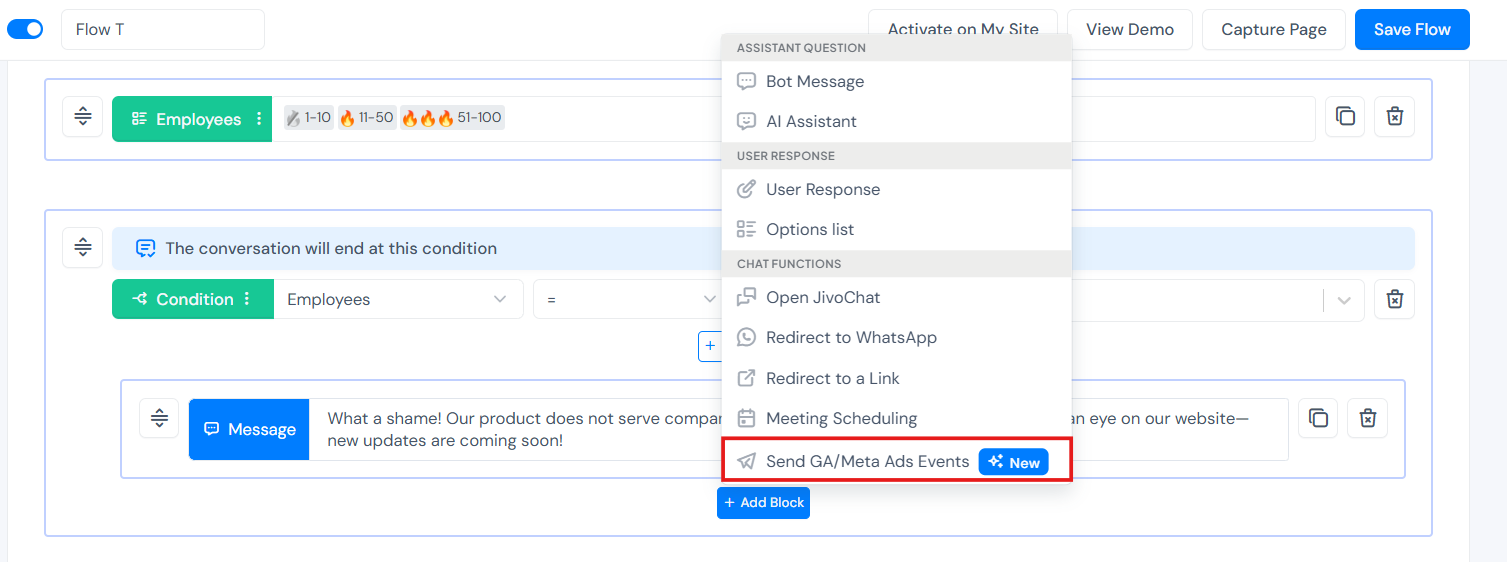
Once the block is added, just configure it!
For Meta Ads Campaigns:
- Enable the Meta Ads option.
- Enter the event name or select a default event.
- If you want to send specific events, enable the option below and include the Pixel Code. If you prefer not to enable this option, we will use the data configured in the "Integrate with Your Systems" tab, or we’ll use the IDs already registered on your page to send the events.
For Google Analytics Campaigns:
- Enable the Google Analytics option.
- Enter the event name or select a default event.
- If you want to send specific events, enable the option below and include the Tag ID. If you prefer not to enable this option, we will use the data configured in the "Integrate with Your Systems" tab, or we’ll use the IDs already registered on your page.
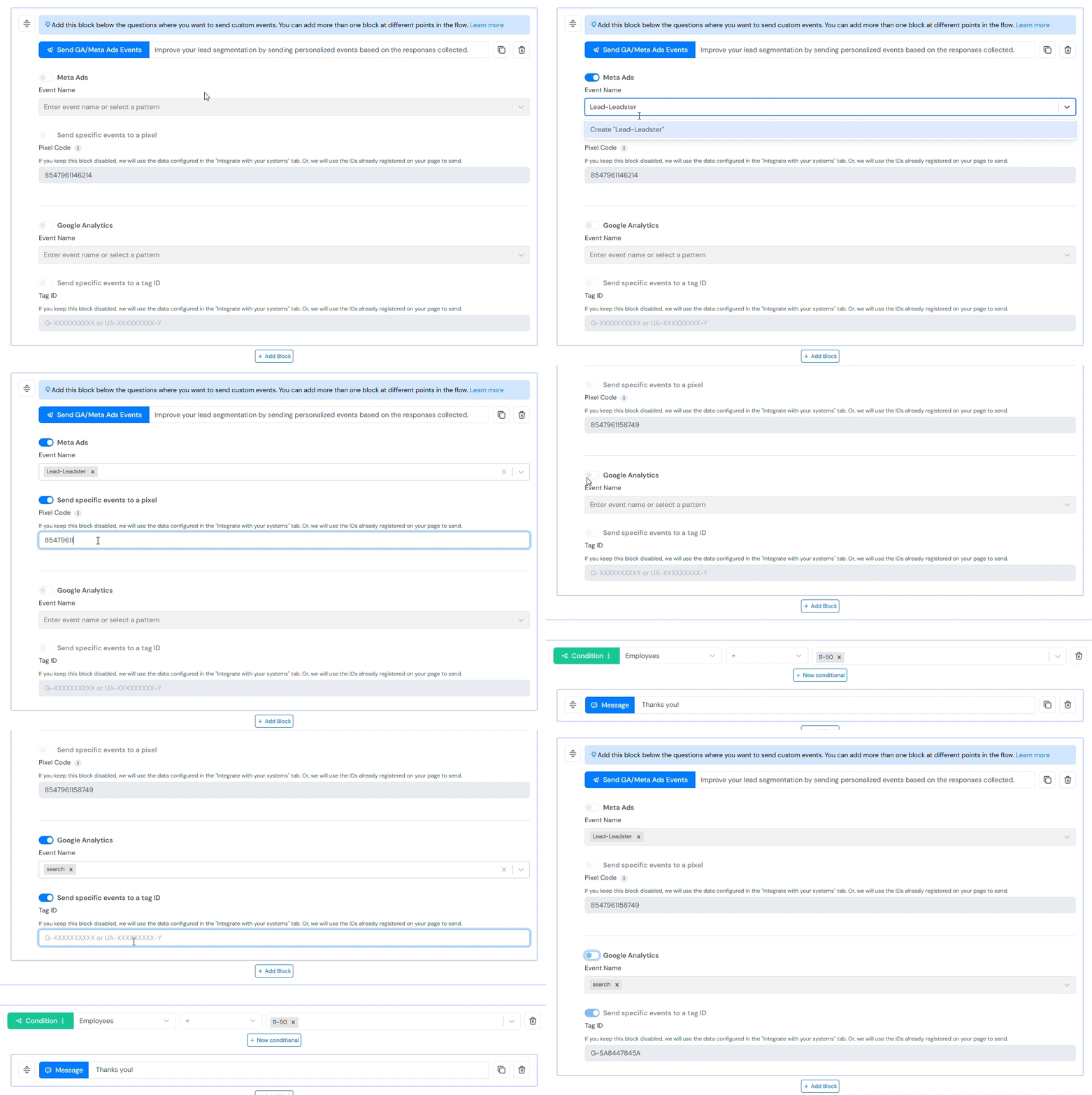
After making all the changes, don’t forget to save the flow!
For any doubts, contact our support team.